# 部署专用节点

### 1.  创建帐户

&#x20;**步骤 1：**&#x7528;户可以在 [**ChainUp Cloud**](https://cloud.chainup.com/app/register)上注册。

![Sign Up](https://content.gitbook.com/content/IQGs7tgkNqzmAzzSFmsJ/blobs/0fG9NeZyd9lQcn6M03oP/chainupcloudregister.PNG)

**步骤 2：**&#x4F7F;用您新创建的帐户登录 [**ChainUp Cloud**](https://cloud.chainup.com/app/login) 。

![Login](https://content.gitbook.com/content/IQGs7tgkNqzmAzzSFmsJ/blobs/h1WsT0YgQ8q7CdjWjsWM/chainupcloudlogin.PNG)

### 2. 用户仪表板

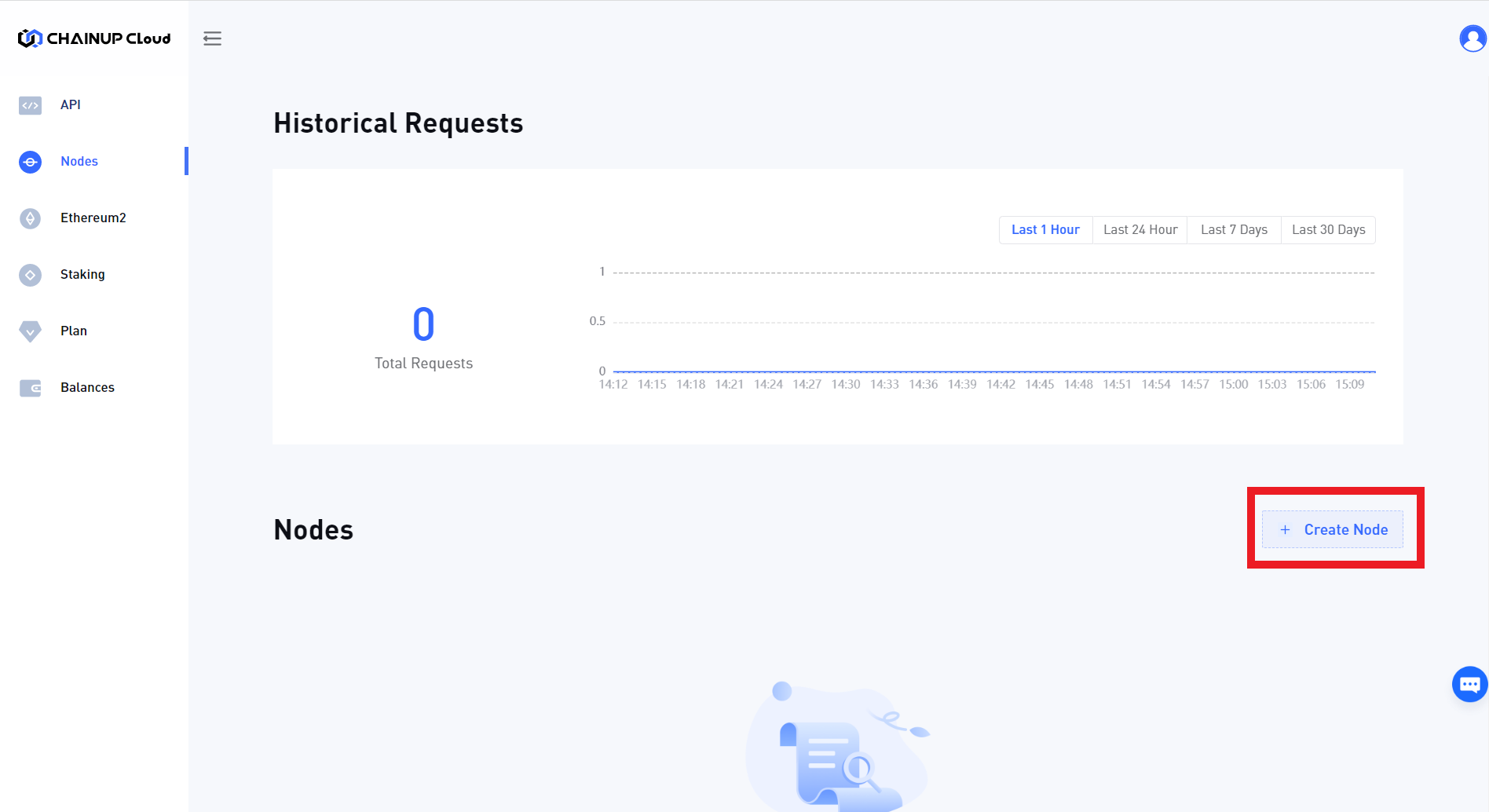
&#x20;**步骤 1**：登录  [**ChainUp Cloud**](https://cloud.chainup.com/app/nodes) 后，您需要创建一个新节点并选择区块链。

<figure><img src="https://content.gitbook.com/content/IQGs7tgkNqzmAzzSFmsJ/blobs/seYl4WALcbLLQYnrEDTn/chainup_node_create.png" alt=""><figcaption><p>Create Node</p></figcaption></figure>

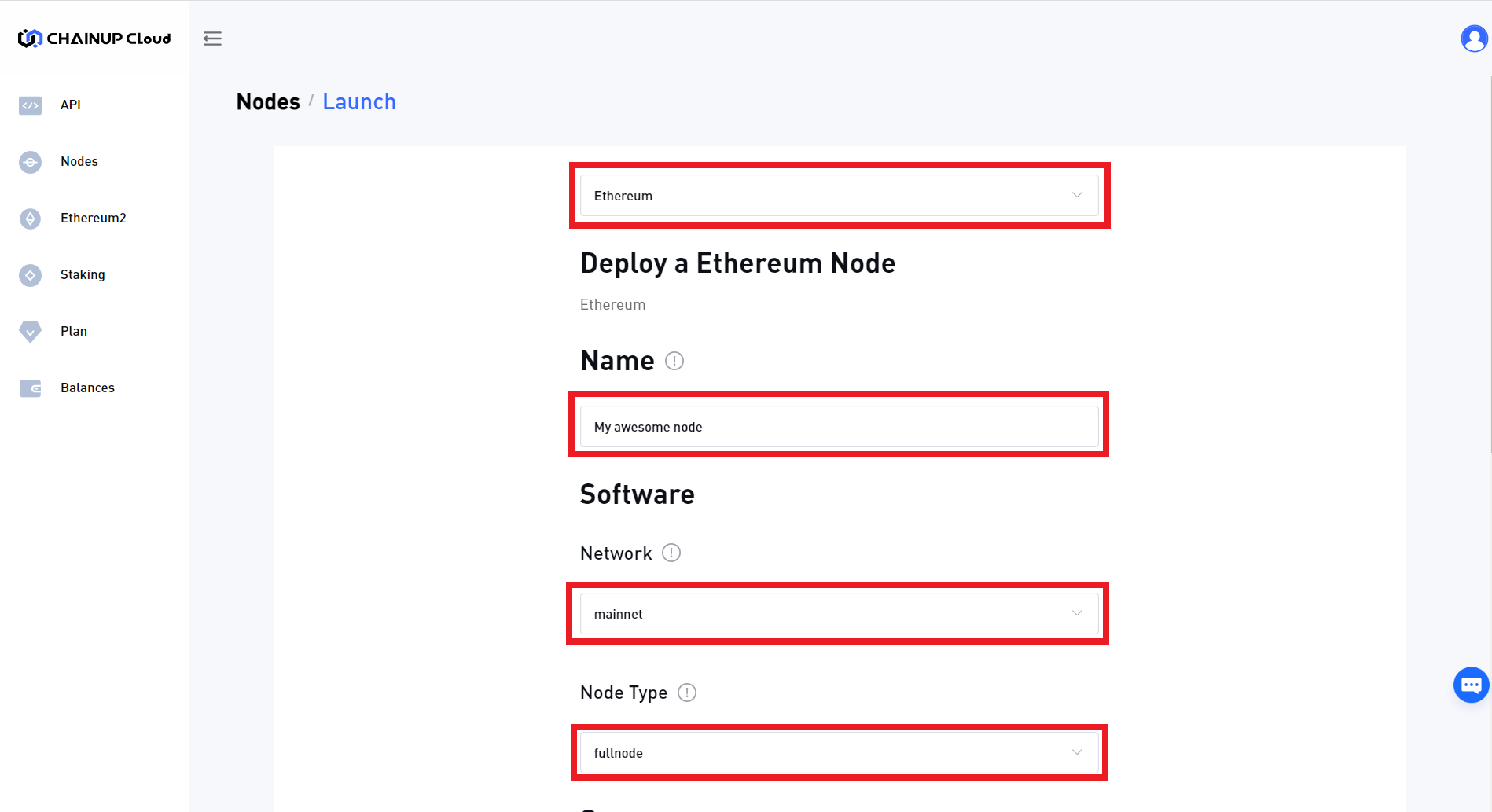
**步骤 2：**&#x73B0;在，输入您的节点名称，并选择区块链、网络和节点类型。

<figure><img src="https://content.gitbook.com/content/IQGs7tgkNqzmAzzSFmsJ/blobs/TNRdpPKwu0npXqs5cyq0/chainup_node_set.png" alt=""><figcaption><p>Select node options</p></figcaption></figure>

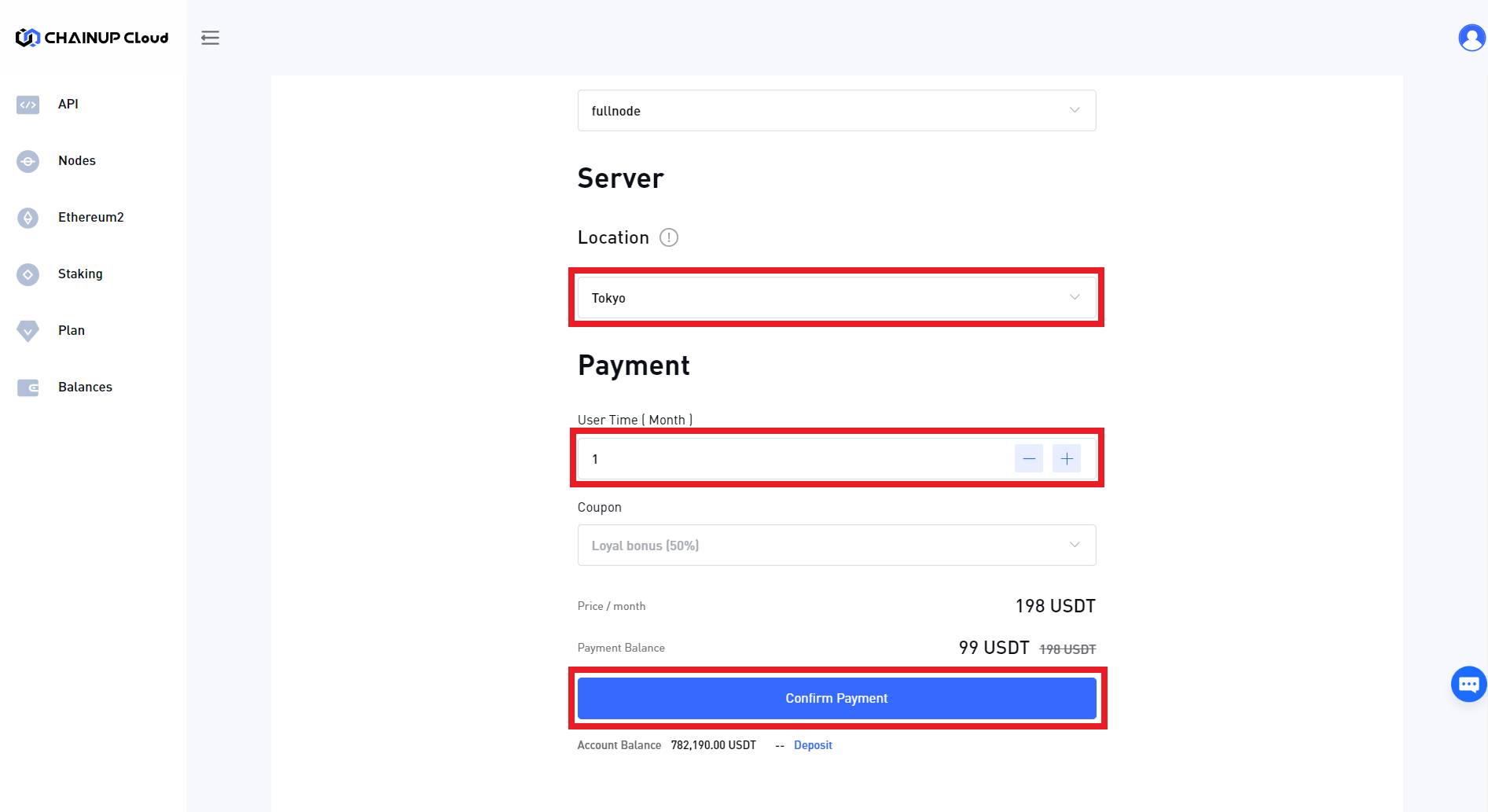
**步骤 3：**&#x63A5;下来，选择节点的位置（最好基于用户的地理位置）、运行持续时间（您可以随时充值以延长持续时间）并继续付款

<figure><img src="https://content.gitbook.com/content/IQGs7tgkNqzmAzzSFmsJ/blobs/vSEpEUNHce7VS5gcDGRu/chainup_node_pay.png" alt=""><figcaption><p>Making payment</p></figcaption></figure>

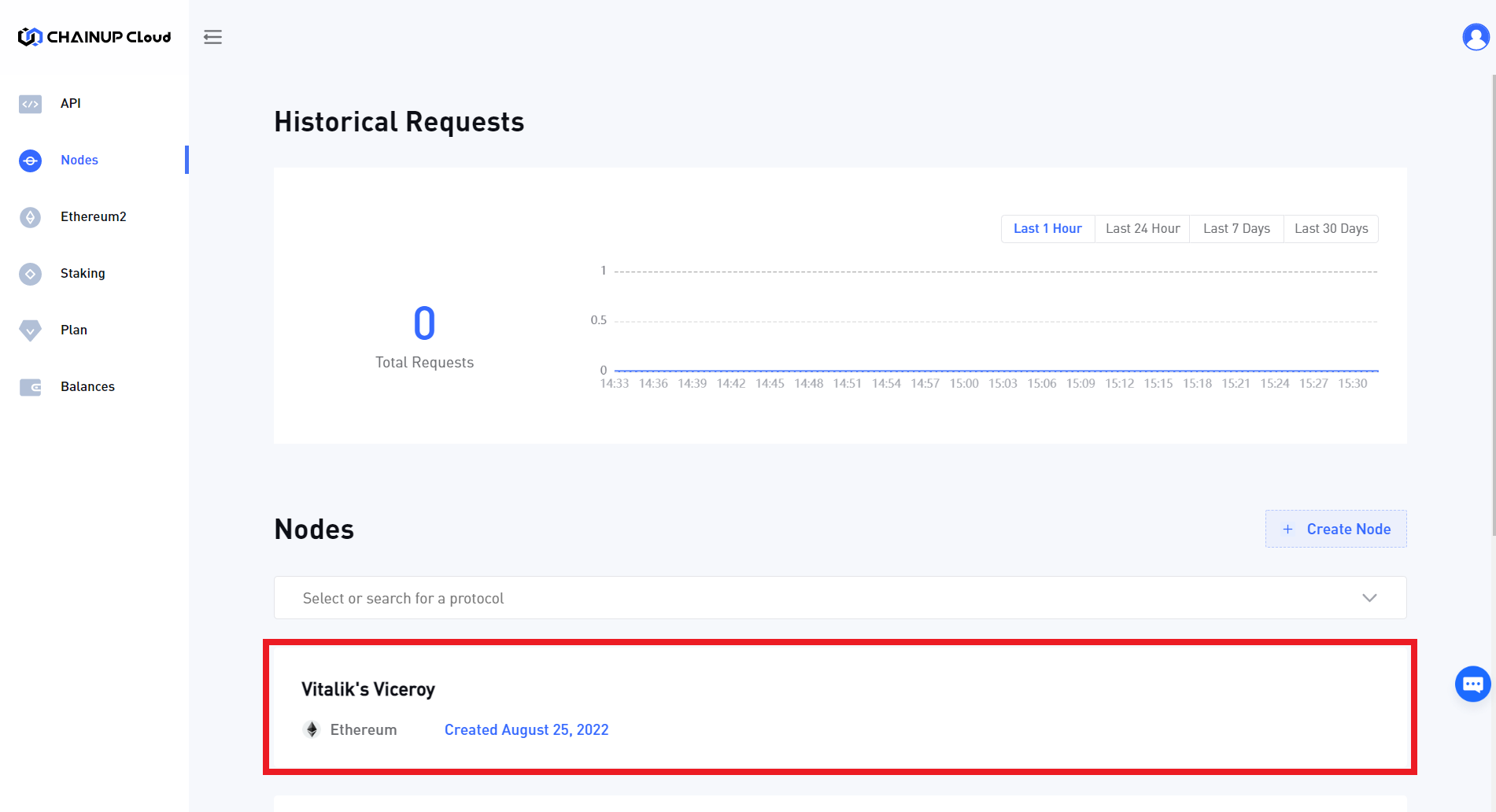
&#x20;**步骤 4**：最后，等待您的节点准备就绪，您可以以与区块链 API 类似的方式使用它！

<figure><img src="https://content.gitbook.com/content/IQGs7tgkNqzmAzzSFmsJ/blobs/6AevshdLrR02f7zUs2Wd/chainup_node_ready.png" alt=""><figcaption><p>Node is ready!</p></figcaption></figure>

[ **立即注册**](https://cloud.chainup.com/app/register)，在几秒钟内开始构建并探索 ChainUp Cloud 的奇妙之处！